
Now Reading: How to Create a Piano Sound on the Yamaha DX reface
-
01
How to Create a Piano Sound on the Yamaha DX reface
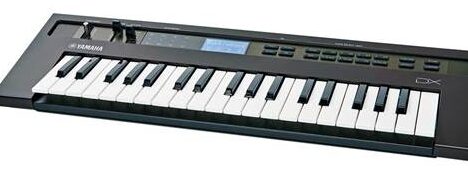
The Yamaha DX reface is an FM synthesizer, so its piano sounds are based on harmonics and dynamics, not samples. A good FM piano relies on:
- a strong fundamental tone
- a brighter, percussive attack
- velocity sensitivity
- controlled envelopes
This approach works perfectly for pop, funk, jazz, hip-hop, 80s music, and synth-based tracks.
1. Choose a Suitable Algorithm
Start with an algorithm that has:
- At least one carrier
- One or two modulators feeding that carrier
Best choice:
- A simple vertical stack (Modulator → Carrier)
- Optional second modulator for attack brightness
Avoid very complex algorithms at first.
2. Set Operator Ratios (Core Piano Tone)
Carrier (Main Body)
- Ratio: 1.00
This provides the fundamental pitch.
Modulator (Brightness)
- Ratio: 2.00 or 3.00
These ratios create musically related harmonics.
Optional:
- A second modulator at 4.00 for extra attack sparkle.
Rule of thumb:
- Lower ratios = warmer
- Higher ratios = brighter and harder
3. Operator Levels (Attack vs Body)
A piano has:
- a bright initial hit
- a softer sustain
Set levels accordingly:
- Carrier Level: High and stable
- Modulator Level: Medium, but shaped by envelope
The modulator should be strong at note start, then fade quickly.
4. Program the Envelopes (Very Important)
Carrier Envelope (Sustain)
- Attack: Fast
- Decay: Medium
- Sustain: Medium–High
- Release: Medium
This creates the ringing body of the piano.
Modulator Envelope (Hammer Attack)
- Attack: Fast
- Decay: Short
- Sustain: Low or 0
- Release: Short
This simulates the hammer strike and initial brightness.
5. Velocity Sensitivity (Essential)
A piano must respond to how hard you play.
- Velocity → Modulator Level: Medium to High
- Velocity → Carrier Level: Low to Medium
Result:
- Soft playing = warm, mellow tone
- Hard playing = brighter, more percussive sound
Without velocity, the sound will feel lifeless.
6. Feedback (Use Carefully)
- Apply feedback to a modulator only
- Keep it low
Feedback adds realism and complexity, but too much makes the sound metallic.
7. Fine Tuning
- Slightly detune carriers if you use more than one
- Keep the sound clean—avoid extreme settings
- Adjust decay time depending on tempo and style
Shorter decay = pop / funk
Longer decay = ballads / ambient
8. Effects (Classic DX Style)
Chorus
- Slow rate
- Medium depth
- Adds width and richness
Reverb
- Small hall or plate
- Medium decay
- Low to medium mix (15–30%)
Avoid heavy effects—the piano should stay clear.
9. Playing Tips
- Best range: C2–C6
- Play chords and broken chords
- Avoid glide or vibrato
- Let notes overlap naturally
FM pianos shine when played dynamically.
Quick Variations
Bright Pop Piano
- Modulator Ratio → 3.00
- Higher modulator level
- Shorter decay
Warm Ballad Piano
- Modulator Ratio → 2.00
- Lower modulator level
- Longer release
Lo-Fi / Hip-Hop Piano
- Lower modulator level
- Slight detune
- More reverb
Common Mistakes to Avoid
❌ Too much feedback
❌ Very long sustain
❌ No velocity sensitivity
❌ Overly complex algorithms
Final Tip
If you remember one thing:
An FM piano is about dynamic contrast, not realism.
Get the attack right, shape the decay, and let velocity do the work.
This method will give you a solid, musical FM piano sound on the Yamaha DX reface that works beautifully in many styles.