Now Reading: How to Create a Piano-Like Sound on the Behringer Pro VS Mini
-
01
How to Create a Piano-Like Sound on the Behringer Pro VS Mini
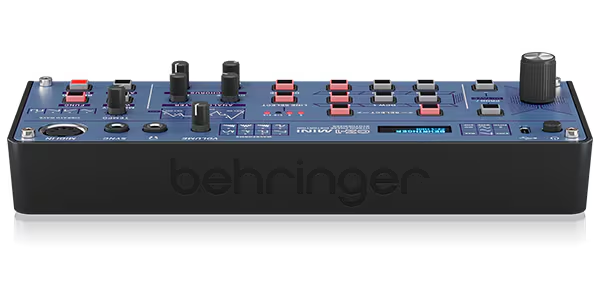
How to Create a Piano-Like Sound on the Behringer Pro VS Mini
The Behringer Pro VS Mini is not a traditional piano or FM synth, but with careful programming you can create a convincing synth-piano / lo-fi digital piano tone. Think more early digital keyboard, hip-hop chord piano, or synth-piano hybrid rather than a realistic grand piano.
This sound works especially well for old-school hip hop, lo-fi, electro, and synth-funk.
1. Oscillator / Vector Section (Core Tone)
A piano-like sound needs:
- a clear fundamental
- some upper harmonics
- a fast transient
Recommended Wave Selection
- Oscillator A: Sine-like or Triangle-style wave
- Oscillator B: Soft Saw or Digital Bell wave
- Oscillator C: Off or very low level
- Oscillator D: Off or very low level
Vector Mix
- Blend mostly Osc A (body)
- Add a little Osc B (attack brightness)
Why this works:
The sine/triangle gives a clean base, while the saw/bell adds the hammer-like brightness.
2. Filter Section (Keep It Natural)
- Filter Type: Low-Pass
- Cutoff: Medium-high
- Resonance: Very low (0–10%)
- Keyboard Tracking: On (important!)
A real piano gets brighter as you play higher notes—key tracking helps simulate this.
3. Filter Envelope (Hammer Attack Simulation)
This is essential for a piano-style sound.
- Attack: Very fast
- Decay: Short
- Sustain: Low
- Release: Short
- Envelope Amount: Low to medium
Effect:
Each note starts bright and quickly settles into a softer tone—just like a piano string after the hammer strike.
4. Amp Envelope (Short & Dynamic)
- Attack: Fast
- Decay: Medium
- Sustain: Low to medium
- Release: Medium
Notes should fade naturally, not hold like a pad.
5. Velocity Sensitivity (Very Important)
If velocity routing is available:
- Velocity → Amp Level: Medium
- Velocity → Filter Cutoff: Low
Soft playing = warm
Hard playing = brighter and more percussive
Without velocity, piano sounds feel flat.
6. Vector Modulation (Optional but Powerful)
To add realism:
- Assign a very slow vector movement at note start
- Keep modulation depth extremely subtle
This simulates slight tonal movement across the keyboard.
7. Effects (Crucial for Piano Illusion)
Chorus
- Light, slow
- Adds width and thickness
Reverb
- Small room or plate
- Medium decay
- Low mix (15–25%)
Optional EQ (External)
- Slight low-mid cut (300–500 Hz)
- Gentle boost around 2–4 kHz
8. Playing Style Tips
- Play chords, not long sustained notes
- Best range: C2–C6
- Avoid heavy glide or vibrato
- Works great for chord stabs and progressions
This is a keyboard piano, not a solo instrument.
Quick Variations
Lo-Fi Hip-Hop Piano
- Lower filter cutoff slightly
- Shorter decay
- More reverb
Bright Digital Piano
- Increase Osc B level
- Slightly higher cutoff
- Less chorus
Soft Pad-Piano Hybrid
- Increase sustain
- Slower release
- Add more chorus
Limitations (Honest Truth)
- This will not replace a sampled piano
- Best suited for:
- old-school hip hop
- lo-fi
- synth-based music
- Think character, not realism
Final Tip
On synths like the Pro VS Mini, piano sounds work best when you:
- keep envelopes short
- avoid resonance
- rely on velocity and effects
Treat it like a stylized keyboard piano, and it will sit beautifully in a mix.
This patch gives you a usable, musical piano-style sound from the Behringer Pro VS Mini—perfect for beats, chords, and classic hip-hop textures.